The diary
The diary holds every reminder, court date and deadline in the firm, each tied to a matter and a person.
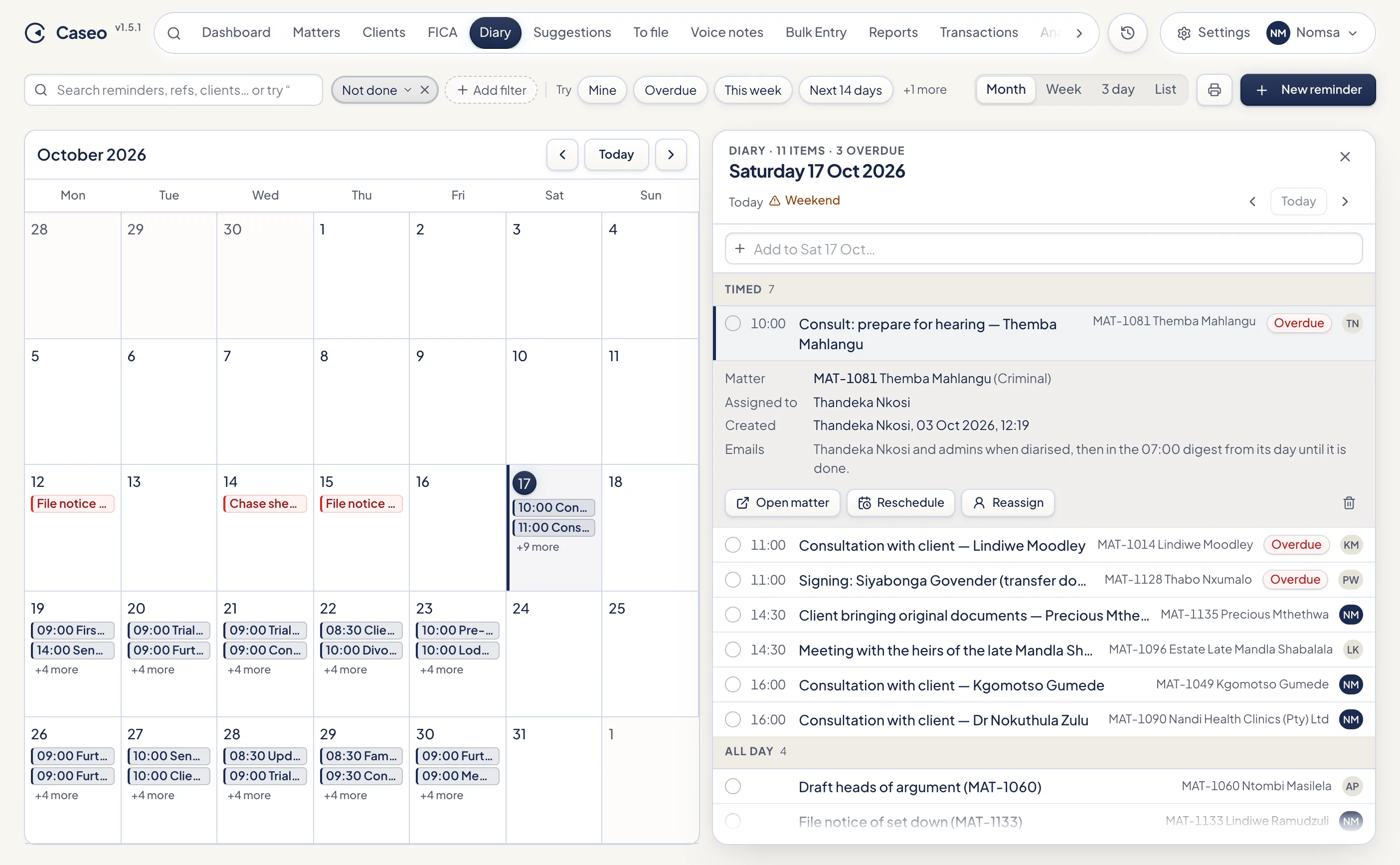
Views
Switch between Month, Week, 3 day and List at the top right. Weeks start on Monday. The list view groups entries into Overdue, Today, Tomorrow, Later this week, Next week, Later and Completed.
The diary opens filtered to Not done. Use the chips (Mine, Overdue, This week, Next 14 days, Done this month) or type, for example "overdue for Zanele" or "due next 7 days". See Search and filters.
The day panel
Click a day to open it beside the calendar. Entries are grouped into timed, all day, overdue and done. Weekends and South African public holidays are marked, because courts don't sit. For each entry you can:
- Tick it done (or not done).
- Open matter.
- Reschedule to another date or time.
- Reassign it to someone else.
- Delete it.
The box at the top of the day adds an entry straight onto that day, as a diary item or as a note on a matter. The entry also shows who it's for, who created it, and who will be emailed about it.
Adding a reminder
Click New reminder, or Reminder on a matter.
| Date | Pick a date or use the chips: Today, Tomorrow, Next week. Caseo warns (but doesn't stop you) if it's a weekend or public holiday. |
| Time | Optional. Leave it empty for an all-day entry. |
| What needs doing | The task, for example "File plea: Bheki Builders (dies non check)". |
| For | Who it's for. Defaults to the matter's attorney. |
| Matter | The matter it belongs to. |
Enter or ⌘/Ctrl+Enter saves; Esc cancels. The person it's for, the author and the firm's Administrators are emailed when it's created (see Diary emails).
The author, the person it's for, and Supervisors and Administrators can reschedule or reassign an entry.
Reminders Caseo adds for you
- Saving a matter's prescription date adds reminders 6, 3 and 1 month before it.
- Recording a court outcome on the phone diarises the next court date and the next-step task (see The phone app).
Today's diary on sign-in
Once a day, when you open the Dashboard, Caseo shows what's due today and what's overdue: your own entries, or the whole firm's for Administrators. Close it with Esc or jump to the diary.
Printing the diary
The print button prints the diary, grouped by person.
Something unclear or out of date? Email hello@caseo.co.za.